Visitor Feedback at the Exhibit, Not Weeks Later

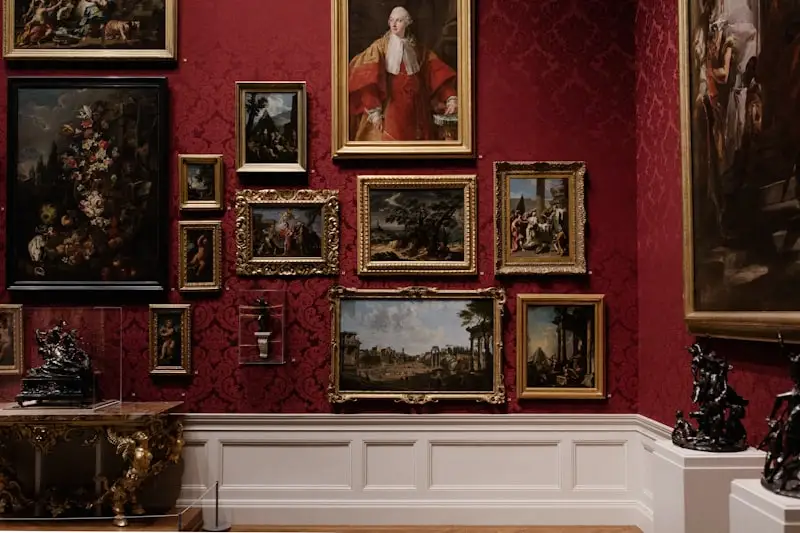
Museum visitors viewing exhibit

QR Poll captures visitor feedback at individual exhibits, not just the exit. Each exhibit gets its own QR code. Export data for grant reporting.

Best for
Museum curators, tour guides, exhibit designers
Setup time
30 seconds
Cost
Free up to 250 responses/mo, then $6/mo
No app required
Respondents scan with any phone camera

The Problem

Exit surveys miss what people thought at specific exhibits. Tour guide feedback is all word-of-mouth. Grant reporting needs visitor engagement data. You have no way to A/B test exhibit descriptions or layouts.

Ready to solve this?

Create your first poll in under a minute.

How QR Poll Helps

  • Location-specific QR codes. Feedback per exhibit.
  • Anonymous visitor responses. Honest opinions.
  • Export data for grant reports. Prove engagement.
  • A/B test descriptions. See what connects.

Sample Museum Poll Questions

Visitors are here to look at art, not fill out forms. One or two questions per exhibit. Keep it fast.

  • "How engaging was this exhibit?" (1-5 stars) — simple, comparable across exhibits. After a month you know exactly which exhibits land and which ones people walk past.
  • "What did you think of this exhibit?" (open text) — visitors say surprisingly thoughtful things when they are standing right in front of the work. You get reactions you would never capture in an exit survey.
  • "Was the description helpful?" (yes/no) — if 40% say no, rewrite it. You now have data instead of a curatorial argument about whether the wall text is too academic.
  • "Rate your tour guide" (1-5 stars) — shown at the end of a guided tour. Honest feedback that tour guides can actually use. Better than the manager occasionally shadowing a tour.
  • "What exhibit should we bring back?" (multiple choice) — great for planning. Let visitors vote on past favorites. Funders love seeing this kind of engagement data.

For touring exhibits, the star rating is your best friend. It gives you a number to put in grant reports and board presentations.

Where to Place QR Codes in a Museum

Museums have a natural advantage here: visitors are already reading things on walls. A small QR code below an exhibit placard fits right in.

  • Below the exhibit placard. Visitors just finished reading about the piece. They are engaged and have context. A small sign saying "Tell us what you think" with a QR code feels like part of the experience, not an interruption.
  • End of a gallery room. Captures overall impressions of a themed section. "How was the Impressionism wing?" works well as a room-level question before visitors move on.
  • Tour endpoint. Tour guides can hold up a printed QR or point to one on the wall. Feedback captured while the experience is fresh, not two days later via email.
  • Gift shop or cafe. Catches visitors at the end of their visit. Good for general satisfaction questions. Lower urgency than exhibit-level codes but useful for overall trends.

The exhibit placard placement gets the best responses. Visitors are already in "read and think" mode. The scan feels natural.

Using Feedback Data for Grants and Board Reports

Every museum grant application has some version of "demonstrate visitor engagement." Most museums answer this with headcounts and maybe a quote from a guest book. That is thin.

With exhibit-level feedback, you can report actual engagement metrics. "The Frida Kahlo exhibit averaged 4.3 out of 5 across 847 visitor responses." "Visitors rated the interactive geology display 38% higher than the traditional display case covering the same material." That is the kind of specific, quantitative data that makes grant reviewers pay attention.

Export responses to CSV anytime. Filter by date range for quarterly reports. The timestamp on every response means you can show engagement patterns over the life of an exhibit, not just a final number. Board members like seeing that the new wing had strong opening week numbers that sustained through month two.

For A/B testing exhibit descriptions, run version A for two weeks, swap to version B, compare the ratings. No expensive research consultants needed. Just two versions of wall text and the data to see which one visitors understood better.

How It Works

  1. 1Create a poll per exhibit or gallery. One or two questions each. A star rating and an optional open-ended question. Takes a minute per exhibit.
  2. 2Print QR codes for exhibit placards. Small sign below the existing placard. Visitors scan while they are standing in front of the work. Also works for tour endpoints and gallery exits.
  3. 3Export data for reports and decisions. CSV export with timestamps and response counts. Compare exhibits, track trends over time, and give grant reviewers real engagement numbers instead of headcounts.

It's that simple

Create your first poll in under a minute.

Common Questions

Can I create different polls for different exhibits?

Yes. Each exhibit gets its own QR code and poll. Compare engagement across your space.

Does this work for guided tours?

Yes. Tour guides can display a QR at the end, or include it on printed materials. Captures tour-specific feedback.

Can I use this for grant reporting?

Export to CSV for any reporting needs. Timestamps, response counts, all the data funders want.

Will visitors actually scan the QR code?

Museum visitors are already in "learn mode." They are reading placards, scanning audio guide codes, looking things up. A QR code next to an exhibit feels natural here in a way it does not in most settings. Response rates in museums tend to be surprisingly high.

How do I handle temporary or traveling exhibits?

Create a new poll for each temporary exhibit. When it moves on, archive it. The data stays in your account. If the exhibit comes back next year, you have baseline numbers to compare against.

Does this work for outdoor sculpture gardens or large campuses?

Yes. QR codes work anywhere a phone has cell signal or Wi-Fi. Print weather-resistant signs with the QR code. Each station gets its own poll. Works the same as indoor exhibits.

Capture Visitor Feedback at the Exhibit

Not at the exit. Not weeks later. Right there.